5 Best Free Software for Creating Panoramic Images

If you want free panorama software that still makes sense now, start with Hugin. This is for anyone trying to stitch landscape, travel, interior, or wide-angle photos on a desktop without paying for Photoshop. I cleaned up the old list, kept the tools that still matter, and flagged the ones that belong in the software graveyard.
- Best free option right now: Hugin
- Simple old-school pick: AutoStitch
- Still usable, but legacy: Microsoft ICE
- Only for old PCs that already have it: Windows Photo Gallery
- Hard to recommend today: PanoramaPlus Starter Edition
- Main mistake: bad source shots, especially weak overlap and shifting exposure
Last winter I found an old set of Margalla Hills photos in a dusty folder on my laptop. I thought, easy, five minutes and done. Instead I got bent horizons, ghosted trees, and one ancient app that locked up so badly I had to kill it from Task Manager while the rain tapped the window and my chai went cold.
That’s the real issue with panorama software. A lot of old blog posts still recommend tools that were genuinely good once. But now, some are abandoned, some are awkward to download safely, and some only make sense if you’re on an old Windows machine and in the mood to suffer.
So I updated this properly. Hugin is still the best free panorama software for most people. If you want something simpler and can live with an older workflow, AutoStitch still has a place. The rest are mostly legacy picks now.
What actually matters in panorama software now
Before the list, do one thing. Ignore the shiny claims and check the stuff that changes your result.
- Stitching accuracy: Can it align frames without turning buildings into mush?
- Manual control: Very useful when auto-stitching gets confused.
- Export quality: Some free tools still cap size or formats.
- Current availability: A tool is useless if the download page looks half-dead.
- Ease of use: Some apps are quick. Others feel like homework.
Quick comparison of the panorama software
| Software | Status right now | Platform | Best for | Main drawback |
|---|---|---|---|---|
| Microsoft ICE | Legacy, unsupported | Windows | Older Windows users who want a fast automatic stitcher | No active development, and safe downloads can be tricky |
| Hugin | Active and still relevant | Windows, macOS, Linux | Anyone who wants the strongest free option with real control | Interface feels intimidating at first |
| Windows Photo Gallery | Discontinued | Windows | People who already have it installed on an old PC | Not a serious modern recommendation |
| PanoramaPlus Starter Edition | Legacy, hard to recommend | Windows | Very basic old projects on older systems | Export and size limits feel tiny now |
| AutoStitch | Old, but still known | Windows, older Mac versions existed | People who want a simple automatic stitcher | Very few controls, dated workflow |
1) Microsoft Image Composite Editor (ICE)
Microsoft ICE used to be my default recommendation. And to be fair, it earned that. You dropped in your photos, let it stitch, picked a projection, cropped the ugly edges, exported, done. For a free Windows tool, it was weirdly good. But ICE is legacy software now, and that changes the recommendation.
If you already have it installed and it runs fine, I wouldn’t rush to replace it. It can still produce very clean panoramas, especially with straightforward source images. It also handled large files well for its time and had that panning-video feature, which was niche but kinda fun. The problem is trust. It’s unsupported, old, and tied to a Microsoft side project era that’s long gone.
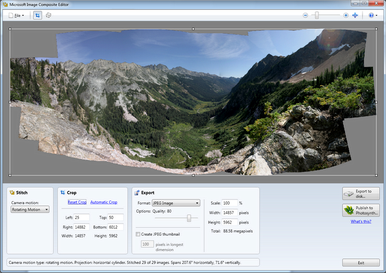
Microsoft ICE was excellent in its day, but now it sits firmly in legacy territory.
| Key fact | Details |
|---|---|
| Price | Free |
| Platform | Windows |
| Status | Unsupported legacy software |
| Strength | Fast automatic stitching and strong handling of large panoramas |
| Export formats | Historically supported JPEG, PNG, TIFF, PSD, and more |
Best for: Someone on Windows who already has ICE working and wants a quick stitch with minimal fuss.
Skip if: You want software with active development and an easy official download.
I couldn’t confirm a clean official download source I’d trust today, so don’t grab it from random mirrors without checking carefully.
2) Hugin
Hugin is the one I’d actually tell you to install. Not because it looks nice. It doesn’t. The first time I opened it, it felt like software built by people who deeply care about optics and only slightly about your emotions. Fair enough. The part that matters is this, Hugin still works, still gets updated, and still gives you real control.
That’s why it beats the old one-click tools. If your panorama is simple, Hugin’s assistant can usually handle it. If the stitch goes weird because of repeating windows, tree branches, water, clouds, or handheld wobble, you can step in and fix control points, change projection, tweak lens settings, and rescue the result instead of just staring at a bad output in silence.
It also supports a wide range of formats and projection types. Sounds nerdy, I know. But once you’re working with interiors, architecture, ultra-wide landscapes, or phone images with aggressive lens correction, that flexibility matters. I used to recommend ICE first. I don’t anymore. Hugin is the safer answer now.
| Key fact | Details |
|---|---|
| Price | Free and open source |
| Platform | Windows, macOS, Linux |
| Status | Active and still relevant |
| Strength | Deep manual control, strong stitching quality, many projection options |
| Formats | JPEG, PNG, TIFF, HDR, EXR and more |
Best for: Anyone who wants the best free panorama software and doesn’t mind learning a little.
Skip if: You want a dead-simple app with almost no settings.
One painful tip from experience. Give your photos around 25% to 35% overlap and lock exposure if you can. Hugin can save a lot. It can’t save chaos.
Why Hugin is still the strongest free option
- It’s current: That alone puts it ahead of most old free panorama tools.
- You get manual correction tools: Very helpful when the automatic result is slightly off.
- It supports multiple projections: Useful for landscapes, interiors, architecture, and ultra-wide scenes.
- It works on all major desktop platforms: You don’t need to hunt down some old Windows laptop.
3) Windows Photo Gallery
I get why this was on older lists. Windows Photo Gallery was familiar, easy, and already installed on a lot of PCs through Windows Essentials. Back then, that was enough. You imported photos, clicked a bit, and got a panorama without learning anything complicated.
Today though, Windows Photo Gallery is discontinued software. This is not something I’d tell a normal reader to go looking for in 2026. Old references around it, like SkyDrive-era sharing, tell you exactly how dated it is. If you already have it on an old machine and it still works, fine. Otherwise, no yaar, just move on. There are better options that still make sense today.
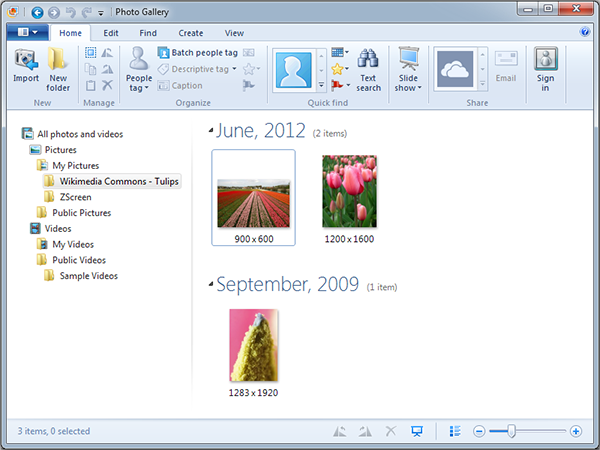
Windows Photo Gallery was convenient years ago, but I wouldn’t point you to it now.
| Key fact | Details |
|---|---|
| Price | Free when Microsoft distributed it |
| Platform | Windows |
| Status | Discontinued |
| Strength | Very easy panorama creation for casual users |
| Main issue | No active support and part of an old retired software bundle |
Best for: Someone maintaining an older Windows PC that already has it installed.
Skip if: You want a current recommendation that makes sense in real life.
I used to suggest this to beginners because it was easy. I wouldn’t do that now. Hugin takes more patience on day one, but it’s the better long-term answer.
4) PanoramaPlus Starter Edition
PanoramaPlus Starter Edition made sense when camera files were smaller and people just wanted a quick free way into Serif’s panorama tools. For basic stitching, it was fine. Nothing magical. Just fine. But modern photos changed the math.
The big problem now is that its limits feel tiny by current standards. Older reports around the starter edition mentioned output restrictions and a size cap around 3000 by 3000 pixels. That might have been acceptable once. Now even a mid-range phone can outgrow that before breakfast. If you want a proper landscape print or room to crop, it gets annoying very quickly.

PanoramaPlus Starter Edition was simple, but the output limits are hard to justify now.
| Key fact | Details |
|---|---|
| Price | Free starter edition |
| Platform | Windows |
| Status | Legacy software, current availability unclear |
| Strength | Simple automatic stitching for basic jobs |
| Main drawback | Export limits and low maximum output size |
Best for: Very old low-resolution projects on an older Windows setup.
Skip if: You want large panoramas, flexibility, or anything that feels current.
I couldn’t confidently verify whether this exact starter edition is still easy to download from an official active source, so check before wasting time hunting for it.
5) AutoStitch
AutoStitch is one of those odd little tools that keeps surviving on reputation, and to be fair, it earned some of that reputation. The interface is tiny, the workflow is simple, and if your photos are clean, shot from one spot, and have decent overlap, it can still do a solid job. No drama. No giant learning curve. Just load the images and let it try.
The downside shows up the second something goes wrong. AutoStitch gives you very little room to fix a bad result. If it guesses wrong, you’re mostly stuck. That’s the trade-off. The image-matching tech under the hood is why it became well known in the first place, but the actual user experience feels old and bare. Sometimes that’s charming. Sometimes it’s just limiting.
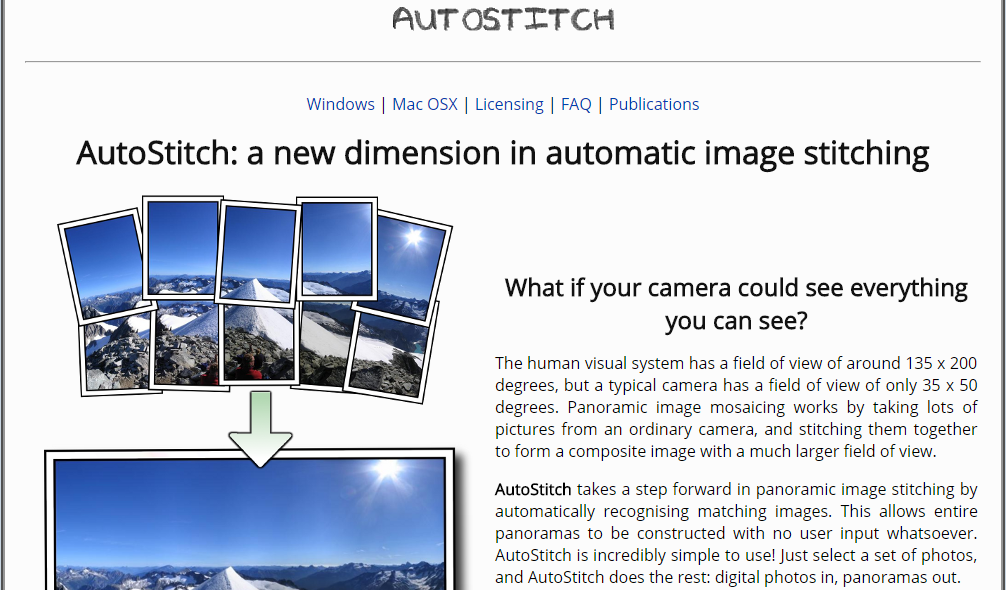
AutoStitch stays relevant for one reason, it keeps panorama stitching simple.
| Key fact | Details |
|---|---|
| Price | Availability and licensing have varied, so verify current download terms |
| Platform | Historically Windows, with older Mac availability |
| Status | Old but still known |
| Strength | Very simple automatic stitching |
| Main drawback | Minimal controls and a dated workflow |
Best for: Someone who wants a lightweight automatic stitcher for straightforward image sets.
Skip if: You need manual adjustment tools or a more modern interface.
A common mistake that ruins panoramas
The software matters. Your source photos matter more.
- Too little overlap between frames
- Exposure changing from shot to shot
- Moving people, cars, waves, or clouds across the frame
- Turning your whole body instead of rotating the camera around a fixed point
- Changing zoom level halfway through the sequence
If you want cleaner results, shoot in manual exposure when possible, keep white balance consistent, and overlap each frame by roughly a third. Small habit. Huge difference.
Who this list is actually for
This article is for you if: you want free desktop panorama software, you’re okay with a bit of trial and error, and you care more about output quality than trendy design.
This article is not for you if: you want a phone app, a cloud editor, or paid software with regular hand-holding and support.
What I’d actually do
If it was my money, I’d spend nothing and use Hugin. That’s the clear winner here. It’s active, capable, and it doesn’t trap you inside abandoned software.
If I was stuck on an older Windows machine and wanted the fastest path to a stitched panorama, I’d try Microsoft ICE, but only if I already had it installed or found a source I trusted.
I would not build any workflow around Windows Photo Gallery or PanoramaPlus Starter Edition now. They had their moment. That moment is over.
Conclusion
The old list wasn’t wrong for its time. Time just moved on. Hugin is the best free panorama software for most people right now, and it’s the one I’d tell a friend to install without overthinking it. AutoStitch still deserves a mention if you want something lightweight and simple. Microsoft ICE is still respectable, but only as a legacy option.
If you’re sitting on a folder full of overlapping shots and finally want one clean wide image out of them, start with Hugin. That’s what I’d do too, especially on a tired Tuesday night when the weather is dull, the laptop fan is loud, and I have zero patience left for broken software.