
Payoneer Payment Withdrawal Methods
If you use Payoneer in Pakistan and just want the least annoying way to get your money out, start here. This is for freelancers, sellers, and remote workers who care about speed, fees, and not doing dumb extra steps. For most people, local bank transfer is still the clear winner.
- Best default: withdraw from Payoneer to your Pakistani bank account in your own name
- Use the card as backup: ATM cash works, but fees, limits, and failed machines make it a poor routine method
- POS and online payments are fine: useful for travel, tools, and international purchases, but watch currency conversion costs
- Old ATM bank lists are shaky now: test with a small amount before relying on any bank
- Don’t use exchangers: risky, unnecessary, and a good way to invite compliance headaches
One summer afternoon I withdrew cash from an ATM, stuffed the notes into my wallet, then drove over to deposit the same money into my own bank account. It was hot, the queue was stupid, and the ATM had already charged me for the privilege. I remember thinking, there has to be a less ridiculous way to do this.
There is. And if you’re getting paid through Upwork, Amazon, clients abroad, or another Payoneer-supported platform, withdrawing the money properly matters almost as much as earning it. A bad withdrawal habit can quietly eat your income.
A brief intro to Payoneer in Pakistan
Payoneer is still one of the most practical options in Pakistan for receiving international payments. That’s mostly because PayPal still isn’t a normal local option here, so a lot of freelancers and online sellers land on Payoneer whether they planned to or not.
You can receive funds from supported marketplaces, clients, and in some cases through Payoneer’s request-a-payment features. Depending on your account, you may also get access to receiving accounts in currencies like USD, GBP, and EUR. That part is useful, but it isn’t identical for everyone. Eligibility, verification, and account history still affect what you see in the dashboard.
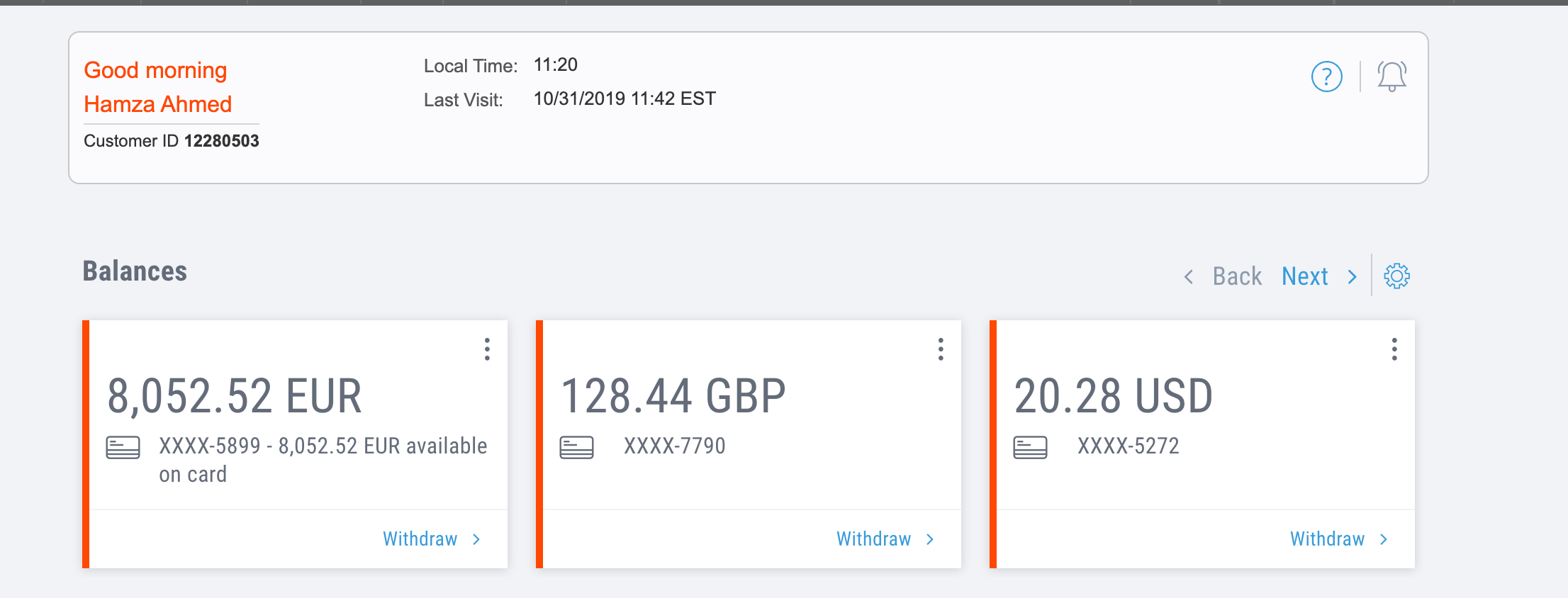
Payoneer’s dashboard can look different depending on your account type, country, and verification status.
You can also request payments from clients on some accounts. Sometimes it clears fast. Sometimes it sits in review while you refresh your email like an idiot. That part hasn’t magically become fun.
Which Payoneer withdrawal method I’d use today
If it were my money, I’d use local bank transfer first. It’s cleaner, usually cheaper than repeated ATM withdrawals, and it removes the whole mess of machine limits, failed transactions, and carrying cash around.
The Payoneer card still has a place. I’ve used it for travel, online subscriptions, and the occasional ATM withdrawal when I needed cash right away. But for a normal setup in Pakistan, bank transfer wins. Easily.
| Method | Good for | Main downside | My take |
|---|---|---|---|
| Local bank transfer | Regular withdrawals to your Pakistani account | FX rate and transfer fee still matter | Best default option |
| ATM withdrawal | Emergency cash | Per-withdrawal fees, limits, and inconsistent support | Backup only |
| POS card usage | Travel and in-person spending | Currency conversion charges | Useful if convenience matters |
| Online card usage | Subscriptions and international shopping | Some merchants decline prepaid or cross-border cards | Good secondary option |
Withdraw directly to your bank account
This is the option I recommend to almost everyone now. You add your local bank account inside Payoneer, withdraw to it, and you’re done. The boring but important detail is this, the account name should match your Payoneer account name. If it doesn’t, you’re asking for delays, reviews, or outright rejection.
I like this method because it removes the pointless side quest. No ATM hunt. No repeated withdrawal charges. No cash deposit after cash withdrawal, which still sounds absurd when I say it out loud.
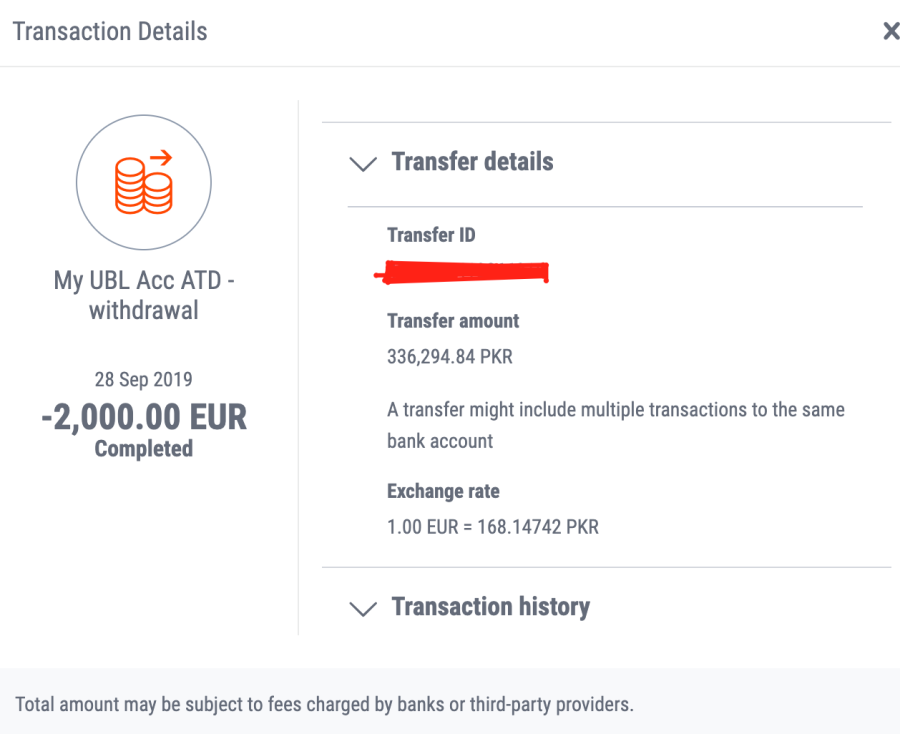
This is where you add and manage the bank accounts you want to withdraw to from Payoneer.
You may also see options for withdrawing to bank accounts in other countries if they’re in your own name and your account supports it. But don’t build your whole process around an old screenshot or some random comment from 2022. Check your own dashboard. That’s the only version that counts.
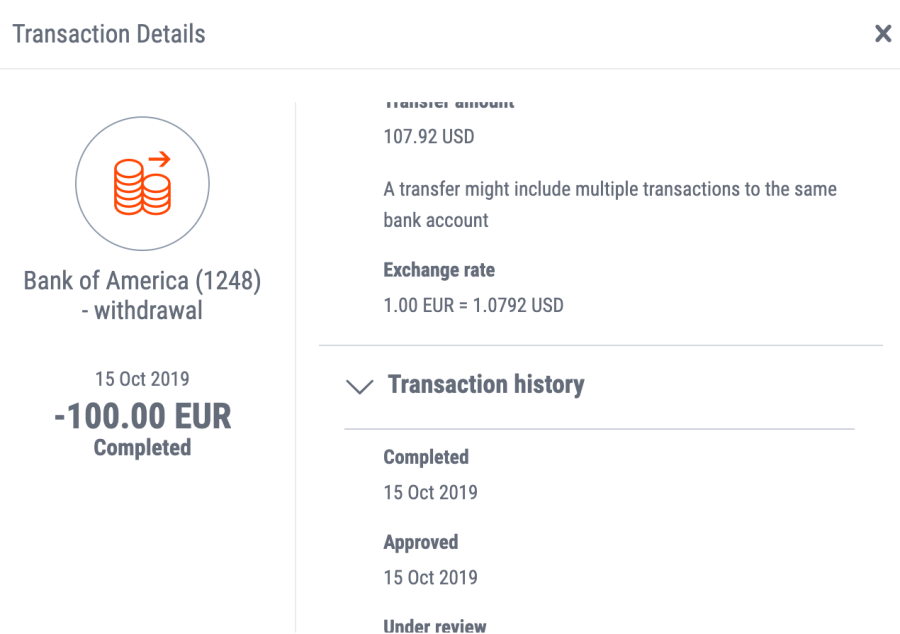
Available withdrawal destinations depend on your account permissions and the bank details you’ve added.
| Key fact | Details |
|---|---|
| Setup | Add your bank account inside Payoneer |
| Name match | Should match your Payoneer account name |
| Speed | Varies by bank, currency, and review status |
| Best use | Routine withdrawals in Pakistan |
| Watch out for | FX rate, transfer fee, and name mismatch problems |
Best for: freelancers, agencies, remote workers, and sellers who want the simplest routine payout method.
Skip if: you need physical cash immediately and can’t wait for a transfer to land.
A small note on “send bank transfer to anyone”
Older Payoneer accounts and some business users used to get broader payout features, including transfer options beyond their own withdrawal accounts. That has never been universal, and I wouldn’t plan around it unless you already see it in your dashboard and understand the compliance side.
I used to be more casual about these extra features. I’m not anymore. Payoneer has tightened reviews over the years, and guessing your way through payment workflows is a good way to get slowed down.
Payoneer POS transactions
If I’m traveling or paying at an overseas store, I still don’t mind using the Payoneer card at a POS machine. It’s convenient. And sometimes that convenience is worth it, especially when local cards do weird things with international transactions. But convenient doesn’t mean cheap.
There are usually conversion costs somewhere in the flow, and sometimes the final amount feels worse when you check the statement later. I’ve had the card save me at a hotel front desk. I’ve also stared at the deducted amount and just gone quiet for a minute.
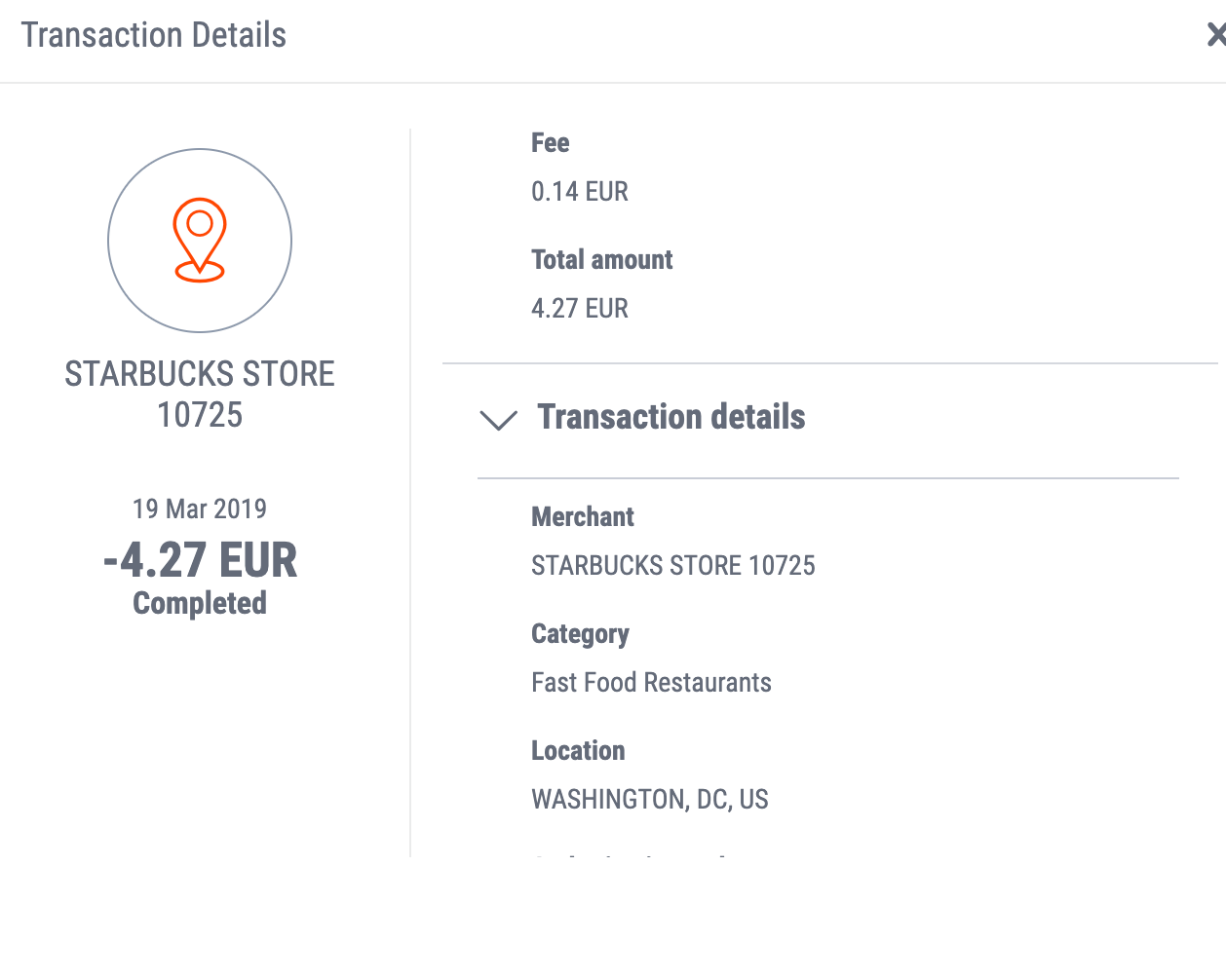
Before using the card heavily, check Payoneer’s current card fee schedule because these charges do change.
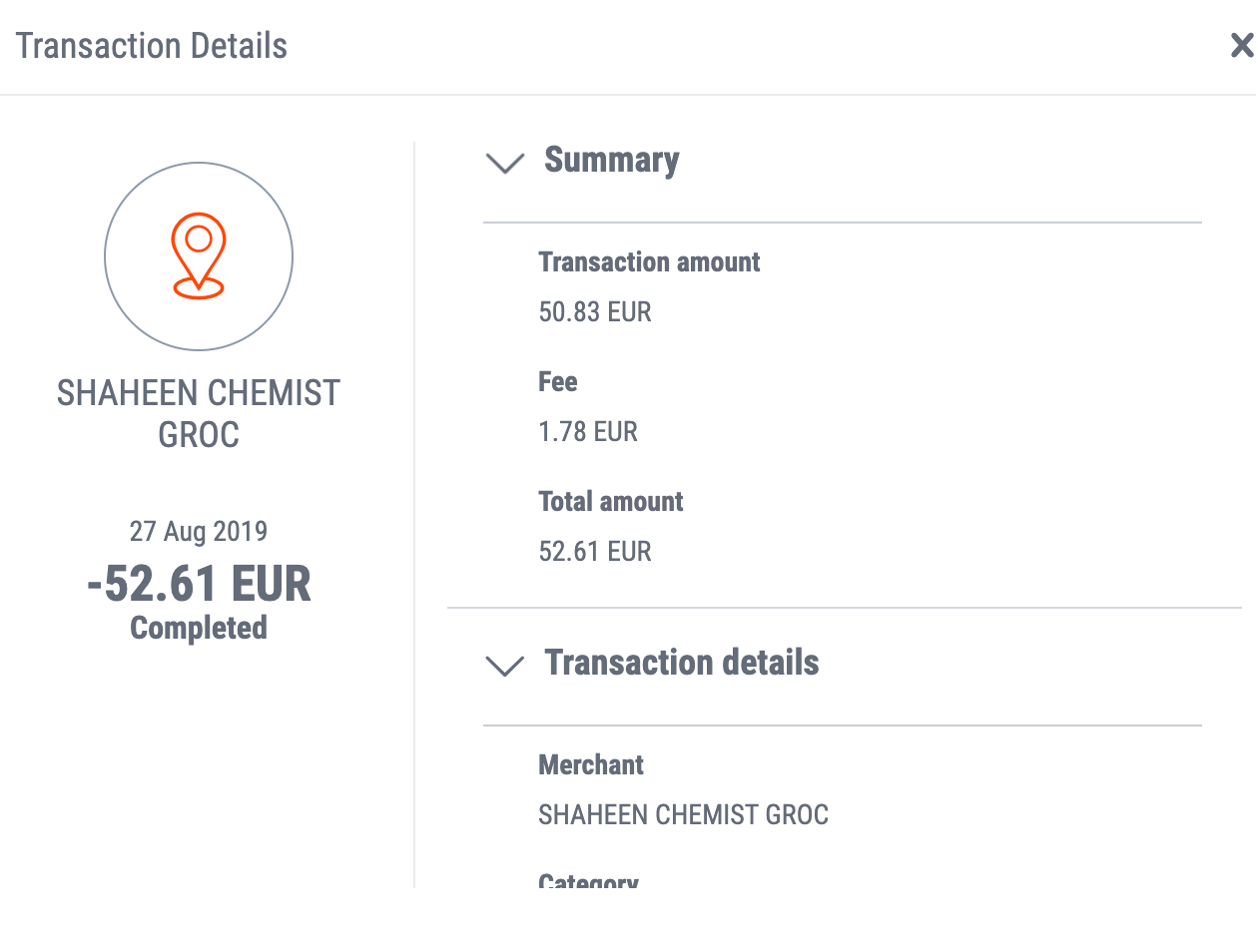
The transaction history usually makes the fee picture clearer after the payment is already done, which is annoying but normal.
| Key fact | Details |
|---|---|
| Where it works | POS terminals that accept the card network |
| Best use | Travel and foreign in-store purchases |
| Main cost | Currency conversion and card charges |
| Risk | Merchant declines or poor exchange handling |
Best for: travel spending when you want to use your Payoneer balance directly.
Skip if: you care more about squeezing out the best possible rate than about convenience.
Payoneer ATM withdrawals
This used to be a much bigger deal. Back then, ATM withdrawal felt like the obvious Payoneer move in Pakistan. Now, honestly, I see it as the backup plan. It still works in some cases, but fees and local ATM limits make it a bad routine habit.
You’ll usually deal with Payoneer’s own ATM withdrawal fee, and sometimes a local ATM fee on top. Then comes the exchange rate. One emergency cash-out is fine. Doing this regularly is how you slowly leak money.
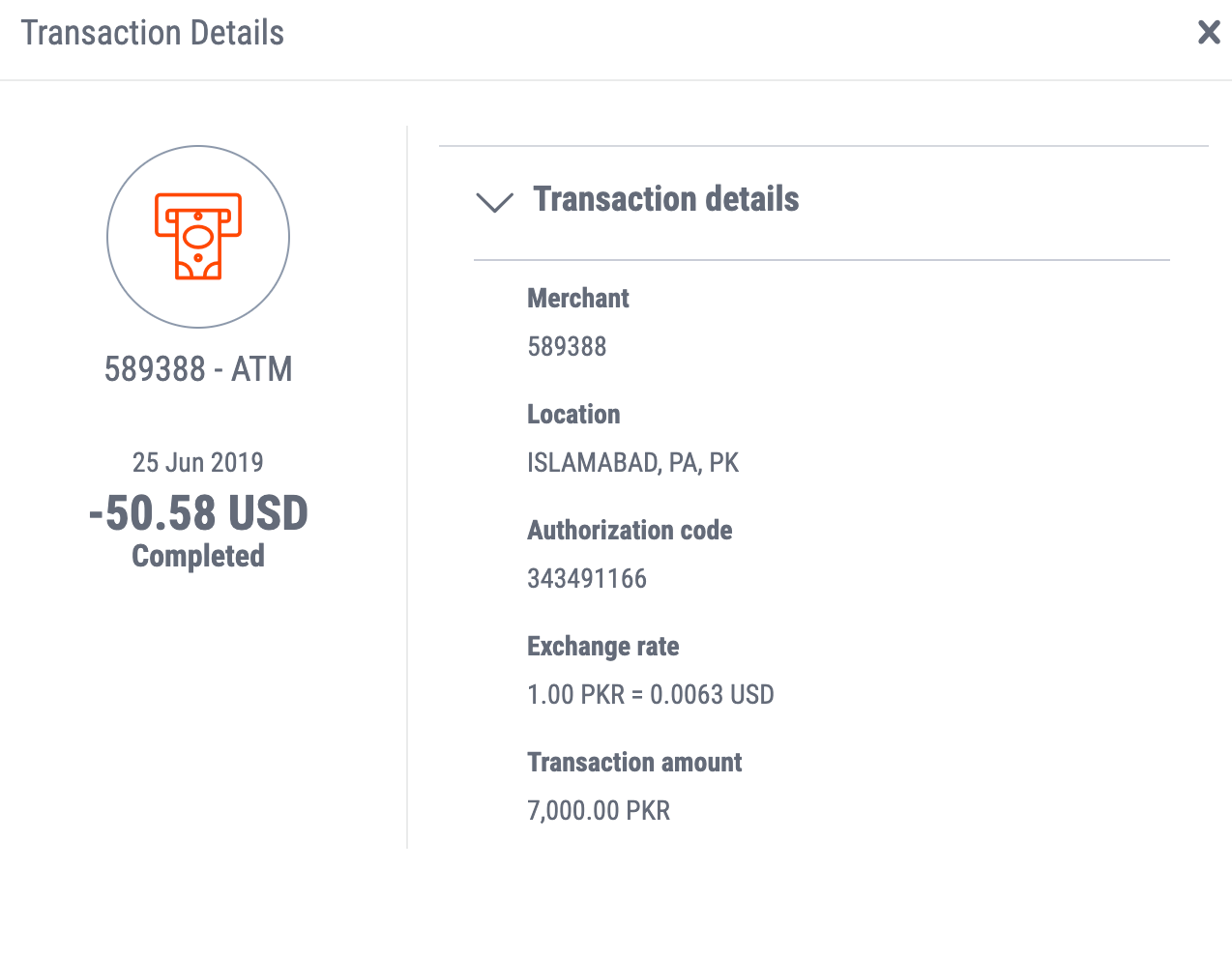
Treat old fee screenshots as historical examples only, not current pricing.
I couldn’t confirm a fully reliable, current list of Pakistani banks that support Payoneer ATM withdrawals exactly the way older articles claimed. Bank-side rules, ATM network support, and extra charges change quietly. So do one thing. Start with a small withdrawal first.

This older bank list is useful for history, not for blind trust. Confirm current support before depending on it.
| Key fact | Details |
|---|---|
| Best use | Emergency cash withdrawal |
| Main costs | Payoneer fee, possible ATM fee, FX spread |
| Main problem | Transaction limits and inconsistent ATM support |
| My view | Useful backup, not the main method |
Best for: urgent cash, travel, and one-off situations.
Skip if: you can withdraw to a local bank account instead.
MCB
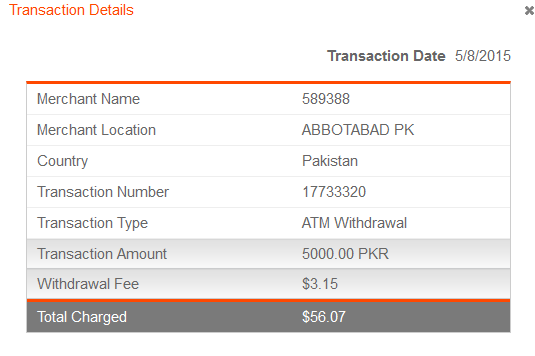
MCB used to be one of the more practical options for Payoneer cash withdrawal. Big network, easy to find, less drama than some other machines. But I wouldn’t publish old limits or old fees today as if they’re still facts, because that’s how outdated Payoneer content keeps getting copied forever.
If you’re testing MCB now, do a small withdrawal first. Then check both the ATM receipt and your Payoneer transaction history. That’s what tells the truth.
| Key fact | Details |
|---|---|
| Availability | Common ATM network in Pakistan |
| Past experience | Generally workable for Payoneer withdrawals |
| Current caution | Fees and limits need fresh confirmation |
Best for: testing a widely available ATM network if you need cash.
Skip if: you’re assuming old transaction limits still apply.
Standard Chartered Bank
Standard Chartered ATMs used to feel smoother with international cards, at least in my experience. Less temperamental. Fewer weird errors. The problem was always availability. Great in a major city, not so great if you’re elsewhere.
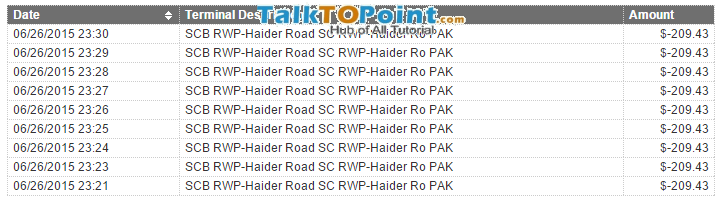
This screenshot shows an older Standard Chartered flow and should not be treated as current interface or policy.
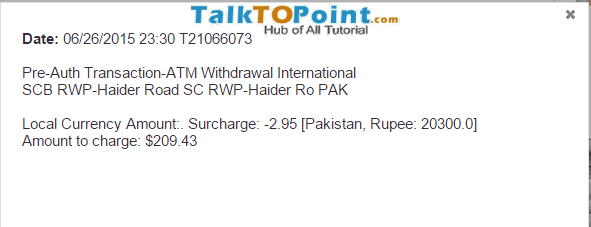
Older receipts are helpful for context, but current support and charges can be different.
| Key fact | Details |
|---|---|
| Past reliability | Often good for international card handling |
| Main downside | Fewer locations than major local banks |
| Current caution | Confirm support and charges first |
Best for: readers in major cities who want to test a bank with a decent history of handling foreign cards.
Skip if: reaching the ATM takes half your day.
Citi Bank
Citi used to show up in older Payoneer ATM discussions, mostly because some international-card withdrawals worked there. Realistically, it was never a practical mainstream option for most people in Pakistan. And this section is exactly the kind of thing that ages badly.
So here’s the honest update. I wouldn’t actively recommend Citi as a Payoneer ATM strategy now. Verify local availability before you even think about depending on it.
| Key fact | Details |
|---|---|
| Use case | Possible international card withdrawal option |
| Main issue | Limited practical access |
| Recommendation today | Verify locally before trying |
Best for: someone who already has a nearby machine and wants to test it.
Skip if: you need a dependable, easy option.
Samba Bank
Samba used to come up in old Payoneer discussions too, usually with mixed reports on limits and fees. I see it mentioned far less now. That’s usually a sign that it either matters less or has become too inconsistent to recommend confidently.
I wouldn’t put it near the top of the list today unless you’ve confirmed recent successful withdrawals in your city.
| Key fact | Details |
|---|---|
| Past use | Worked for some Payoneer ATM withdrawals |
| Main downside | Location limits and changing withdrawal terms |
| Current status | Needs fresh verification |
Best for: readers who already know a nearby machine is working.
Skip if: you’re starting from scratch and want the easiest route.
Bank Alfalah
I’ve seen reports of successful Payoneer withdrawals at Bank Alfalah, but I never relied on it enough to pretend I have high-confidence first-hand proof. And that’s where a lot of old blog posts become junk. One user report gets repeated for years like scripture.
So the honest version is simple. Maybe it works for your branch or city, maybe not. Test with a small amount first.
| Key fact | Details |
|---|---|
| Reported support | Some users have said it worked |
| Confidence level | Lower than my main recommendations |
| Current advice | Test carefully before depending on it |
Best for: a backup test if it’s the nearest convenient ATM.
Skip if: you want strong first-hand confidence.
Payoneer card for online usage
I’ve used the Payoneer card for online payments, and for many international stores it works fine. SaaS subscriptions, tools, hosting, random software renewals, marketplaces like AliExpress, all that is possible. But some merchants still don’t like prepaid or cross-border cards, so the occasional decline is normal.
The trick is to keep a backup payment method if the purchase actually matters. I’ve had transactions go through in seconds. I’ve had others fail for no obvious reason except the merchant’s risk system deciding to be dramatic.
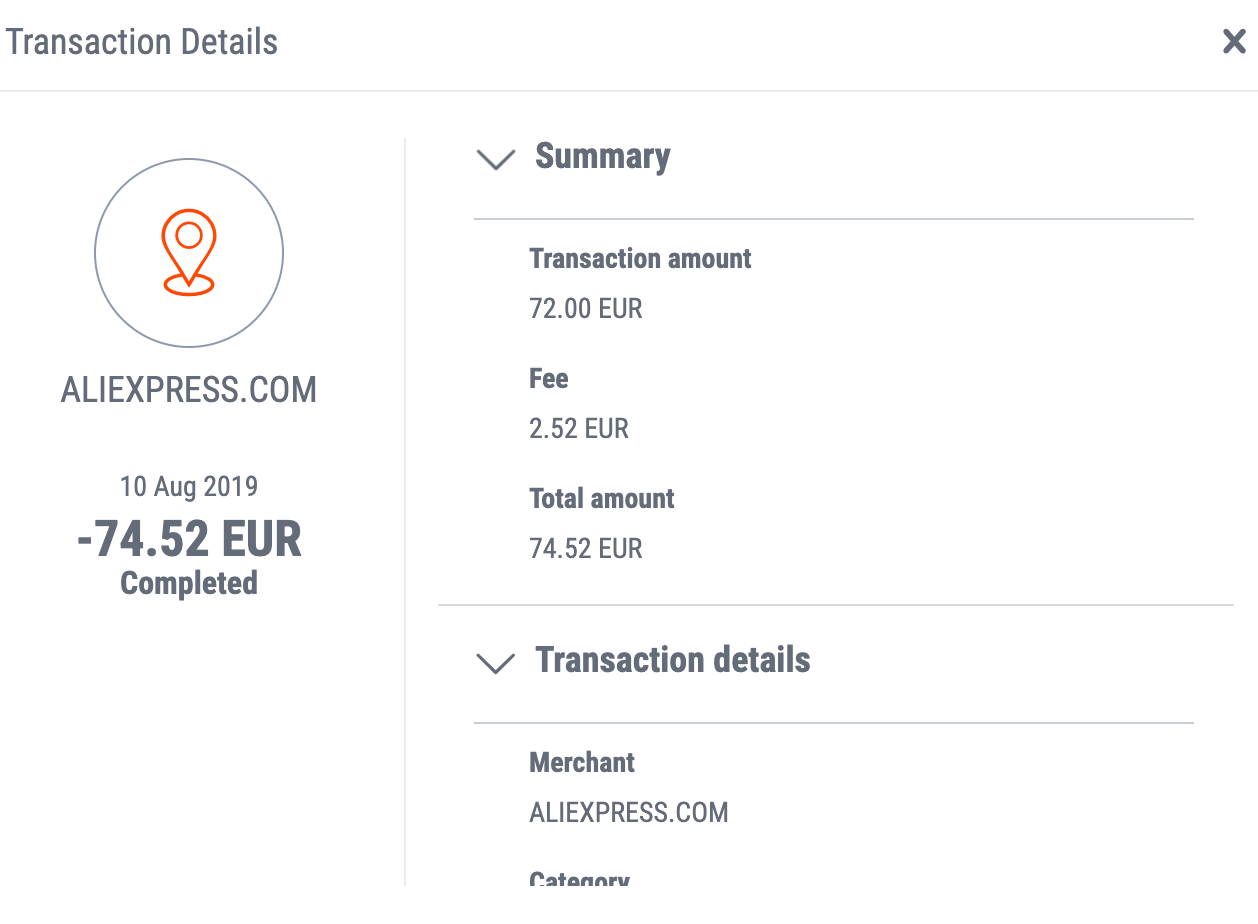
Your online payment options can vary based on card status, account region, and merchant acceptance rules.
| Key fact | Details |
|---|---|
| Best use | International online shopping and subscriptions |
| Main risk | Merchant declines or extra FX charges |
| My take | Useful, but keep a backup card |
Best for: paying international merchants that accept this card type.
Skip if: the purchase is urgent and you have no backup payment method.
Payoneer withdrawal limits
Older articles used to quote fixed ATM limits and card limits like they were universal facts. I wouldn’t do that now. Limits can change based on account type, region, card status, compliance checks, and whatever Payoneer has changed quietly in the meantime.
So here’s the only safe advice I can stand behind, your actual limit may not match someone else’s screenshot. Check your Payoneer dashboard and current pricing or fee pages before planning a large withdrawal.
How to locate an ATM branch near you
The old method was keeping a static list of supported banks. That isn’t enough anymore. A better process is this:
- Pick a nearby bank with a decent ATM footprint
- Use the bank’s official branch or ATM locator
- Try a small withdrawal first
- Check the final fee and amount in Payoneer after the transaction
- Only then use it for larger amounts
I removed the old internal branch-locator clutter because those links go stale fast and broken navigation helps nobody.
A mistake people still make
The biggest mistake is chasing cash first. If local bank withdrawal is available on your account, use that. Don’t keep burning money on repeated ATM withdrawals just because it feels faster in the moment.
The second mistake is using exchangers. Years ago, people talked about this stuff more casually. I don’t recommend it now. It adds risk for no real upside, and yes, unusual activity can trigger account reviews.
What I’d actually do
If I were setting up Payoneer in Pakistan today, I’d connect my local bank account and use that for normal withdrawals. I’d keep the Payoneer card active for travel, emergency ATM cash, and online purchases where it makes sense. That’s the least messy setup and usually the least expensive one too.
I used to recommend ATM withdrawals more strongly. I don’t anymore. Bank transfer is just the saner choice for most people now.
Final recommendation
If your goal is simple, get paid and keep more of your money, choose local bank transfer as your main Payoneer withdrawal method. Use the Payoneer card as backup, not as your everyday system.
That’s what I’d trust with my own money. Less drama, fewer fees, and far fewer afternoons wasted arguing with an ATM while the heat makes everything worse.
Comments
10 responses
very useful info for payoneer, thanks for guidelines. regards.
Standard Chartered charges 500 per ATM use.. MCB charges 200.. I prefer MCB.. It can be helpful if you have to withdraw smaller amounts like 1000 Rs or so..
Thanks for info.
Can someone help me with a problem that I am facing when withdrawing from Payoneer? So basically I linked my HBL account with my Payoneer account, and the account was approved. However when I received a payment from fiverr that was sent to my Payoneer, the payment was not transferred to my HBL account and instead it got lost somewhere in the middle. I emailed Payoneer customer care and they told me that the funds have been sent from their side but when I contacted HBL they told me that HBL is not in business with Payoneer anymore and that they have not received any payment. Can someone please tell me how can I recover the payment?
You are in big trouble. Force both parties to help you out especially Payoneer. Tell them that you are gonna file a case if you don’t get money.
Let us know when you get it.
Hey. I am currently working as a freelancer on Livingston research. It would be the first transaction that I will made through payoneer. The funds that I have in my freelancing account are 49 USD. I just want to ask whether payoneer will process them to my Bank Al habib account? Or is there a minimum limit for withdrawal to local bank account from USD to PKR.. I am just too much curious, any help would be really appreciated. Regards
AoA. I have attached my MCB bank account to payoneer. I withdraw 1st payment of 375$ and it reached the account on same day… But after some days i tried to withdraw more but doesn’t work… Instead the payment got back to payoneer after a week and they mailed me saying that your bank rejects the payment… I tried once more but same thing happened… I asked MCB to ive reason but their employees even don’t know what is payoneer… Kindly help me with this issue..
I will be very thankful.
Make sure your attached account have PKR currency in Payoneer. You might get problem if you directly withdraw dollar instead of PKR & extra fees.
Also call bank and ask them for rejected transfers and reason why transfer to your accounts are rejected. May be your account is student account or have some restrictions placed on it. If nothing work, try getting another bank account. UBL seems to work fine for me.
Yesterday, i attached HBL account and it says it need 3 days to be approved… But also it shows a sign of action required and asks to go to verification centre and submit required documents but when i go there’s nothing on verification centre to submit… Will it be approved after two days or its an error??