Docker Compose
Docker Compose is the standard tool for managing multi-container Docker applications in self-hosted environments; The Docker Compose CLI reads the compose.yaml file and translates it into Docker API calls: creating networks, volumes, and containers with the specified configuration; Docker Compose is the correct tool for the vast majority of self-hosted setups
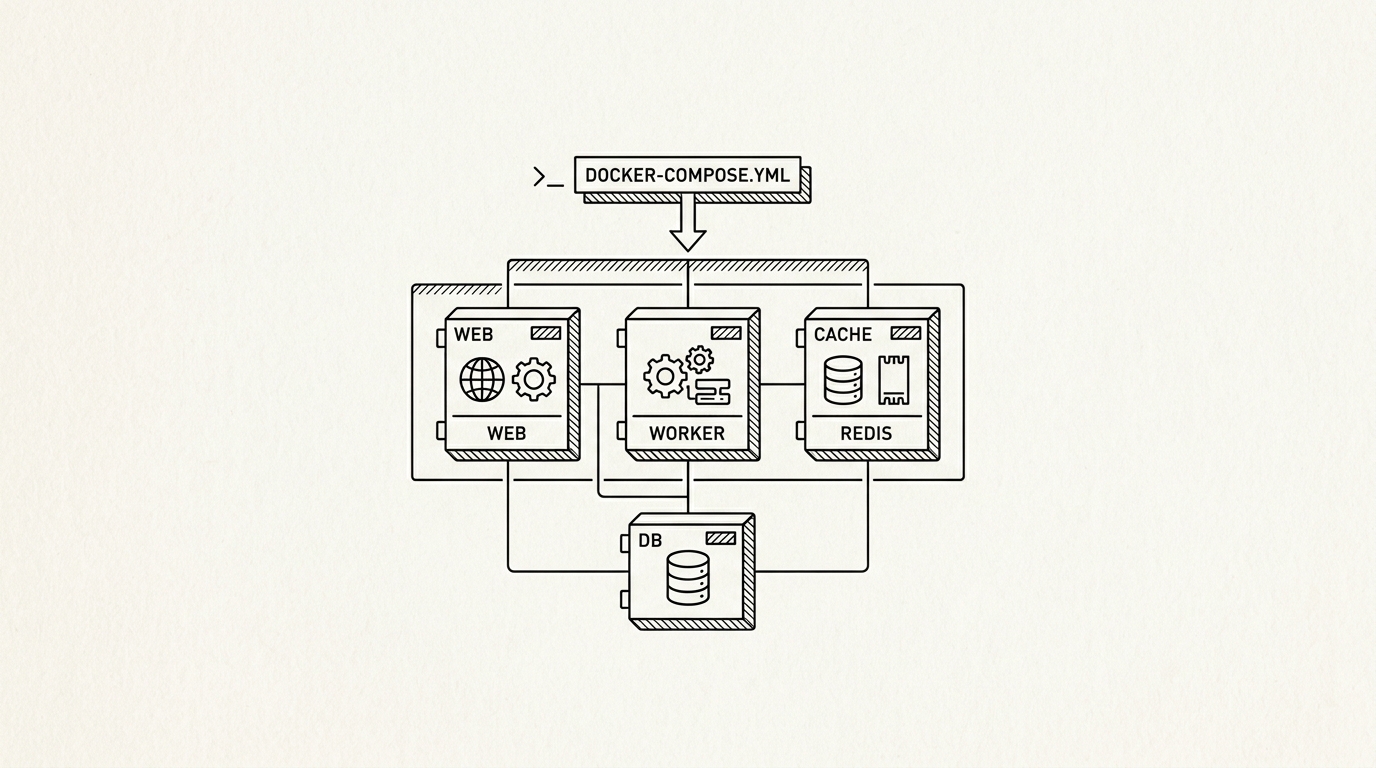

Docker Compose is the standard tool for managing multi-container Docker applications in self-hosted environments. It uses a YAML file (docker-compose.yml or compose.yaml) to declaratively define all services in a stack, their images, environment variables, volume mounts, network connections, port mappings, and startup dependencies. A single ‘docker compose up -d’ command starts the entire defined stack in the background, and ‘docker compose down’ stops and removes it, making repeatable deployments trivial.
How it works
The Docker Compose CLI reads the compose.yaml file and translates it into Docker API calls: creating networks, volumes, and containers with the specified configuration. Compose creates a default bridge network for each project, allowing services to reach each other by service name as a DNS hostname (so a web service can connect to a database service using ‘db’ as the hostname without knowing its IP). Environment variables can be injected from .env files, enabling the same compose file to be used across different environments by changing only the .env values.
Key facts
- Compose V2: Docker Compose V2 is integrated into the Docker CLI (‘docker compose’ rather than the standalone ‘docker-compose’ binary); V1 reached end of life in 2023
- Profiles feature: Compose profiles allow optional services to be included in a stack only when explicitly requested, useful for separating monitoring sidecars from core services
- Portability: A self-hosted stack defined in docker-compose.yml can be moved between VPS providers or from a VPS to a homelab server by copying the file and re-running ‘docker compose up’
For builders
Docker Compose is the correct tool for the vast majority of self-hosted setups. A well-organized Compose file turns a complex multi-service stack (application, database, cache, reverse proxy, backup agent) into a self-documenting, version-controllable configuration artifact. Storing compose files and non-secret configuration in a private Git repository is the recommended practice for managing a self-hosted infrastructure portfolio, enabling full stack restoration from a fresh VPS in minutes.
Sources
- Docker, Inc. Docker Engine documentation. docs.docker.com
- Kubernetes. Core concepts documentation. kubernetes.io
- Open Container Initiative. OCI Image and Runtime specifications. opencontainers.org
- CNCF. Graduated and incubating cloud-native projects. cncf.io
- NIST SP 800-190. Application Container Security Guide. nist.gov
