DDNS (Dynamic DNS)
DDNS (Dynamic DNS) is a system that maintains the mapping between a human-readable domain name and a frequently changing IP address, typically used by home internet subscribers whose ISP assigns a new public IP address periodically; A DDNS client (such as ddclient, inadyn, or a router's built-in DDNS support) polls the server's current public IP at regular intervals (typically every 5 minutes) by querying an IP detection service (ifconfig.me, icanhazip.com, etc.) or reading the WAN IP directly from the router; DDNS is the traditional solution for home server accessibility and is still relevant for ISPs that assign real (non-CGNAT) public IPs
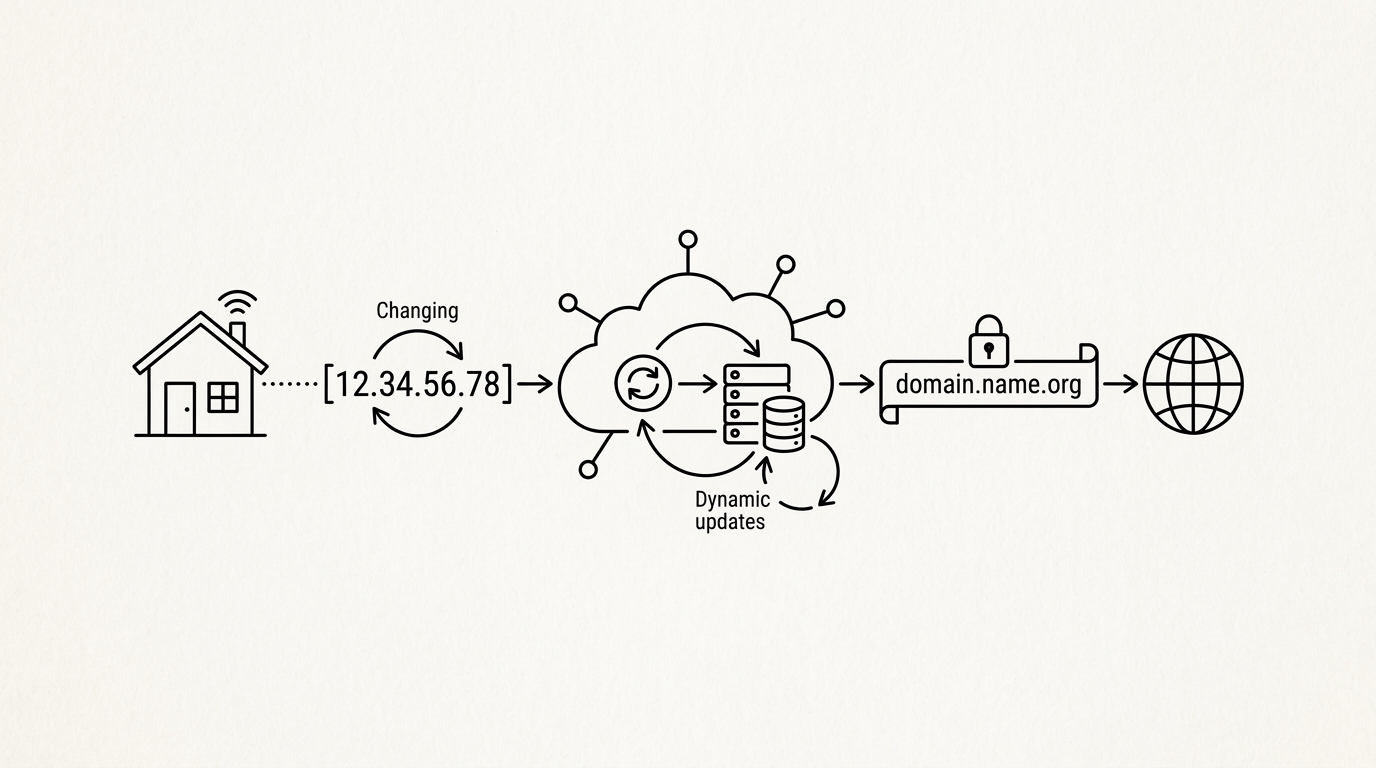

DDNS (Dynamic DNS) is a system that maintains the mapping between a human-readable domain name and a frequently changing IP address, typically used by home internet subscribers whose ISP assigns a new public IP address periodically. A DDNS client runs on the home router or server, detects IP changes, and updates the DNS record via an API call to the DDNS provider. This allows a consistent hostname like home.example.duckdns.org to always resolve to the current home IP without manual DNS updates.
How it works
A DDNS client (such as ddclient, inadyn, or a router’s built-in DDNS support) polls the server’s current public IP at regular intervals (typically every 5 minutes) by querying an IP detection service (ifconfig.me, icanhazip.com, etc.) or reading the WAN IP directly from the router. If the IP has changed since the last update, the client calls the DDNS provider’s update API (each provider has a different endpoint format) with the new IP. The DDNS provider sets the DNS record’s TTL to a low value (60 to 300 seconds) to minimize the window during which the old IP is cached.
Key facts
- Free providers: DuckDNS, No-IP (free tier), and Dynu offer free DDNS subdomains with API-based updates
- Cloudflare alternative: Builders using Cloudflare DNS can run a cloudflare-ddns Docker container to achieve the same effect with their own domain at no extra cost
- CGNAT limitation: DDNS does not help when the ISP assigns a private IP behind CGNAT rather than a real public IP; Cloudflare Tunnel or Tailscale are the solutions in that case
For builders
DDNS is the traditional solution for home server accessibility and is still relevant for ISPs that assign real (non-CGNAT) public IPs. For builders on modern residential ISPs that use CGNAT (increasingly common), DDNS is ineffective because there is no public IP to map to. Checking whether the home IP is actually public (compare the router WAN IP to the result of ipinfo.io) is the first diagnostic step before investing in a DDNS setup.
Sources
- IETF. RFC 8446: The Transport Layer Security (TLS) Protocol Version 1.3. datatracker.ietf.org
- Donenfeld, J. A. (2017). WireGuard: Next Generation Kernel Network Tunnel. wireguard.com
- F5 / Nginx. Nginx official documentation. nginx.org
- IETF. RFC 1035: Domain Names, Implementation and Specification. datatracker.ietf.org
- Cloudflare. Tunnel and Zero Trust networking documentation. developers.cloudflare.com
